
Writing Your Generative AI Prompt
Methods for writing generative AI prompts vary from platform to platform in terms of structure, style and tone. Different models respond more accurately to different kinds of input, levels of detail and different ways of presenting your requests. A prompt that works well for Firefly Image may not be the best way to approach Midjourney. In the same way, video tools such as Veo or Kling benefit from prompts that describe movement, camera behaviour, environment and mood rather than a static image alone. If you approach every model with the same sentence pattern, the results will vary wildly. Generative AI can be a little hit and miss at the best of times – so a solid input technique can improve efficiency and effectiveness dramatically.
Prompting Example
A straightforward example makes this clearer. Imagine you want to generate a moody futuristic scene of a man walking through a rain-soaked neon alley at night.
For Adobe Firefly Image, a prompt such as man walking through neon alley, rain, cinematic lighting, futuristic city, night fits a simple subject-led style.
For Midjourney, something shorter and more visually weighted may yield solid results, such as lone man, neon alley, rain, futuristic, cinematic, moody –ar 16:9.
For Veo, the same idea benefits from a more filmic structure: Cinematic live-action shot. A lone man in a long coat walks slowly through a rain-soaked neon alley at night. Low tracking camera, reflections on wet pavement, distant siren, soft electrical hum, tense atmosphere.
A Brief Guide To Prompting
Below is an outline of how the most popular generative AI tools available to consumers can generate the most effective prompts for their subject matter. As previously mentioned, the process is inherently a little bit random at the best of times but knowing how the systems work can get you closer to the results you wanted.
From Guide To Practical Tool
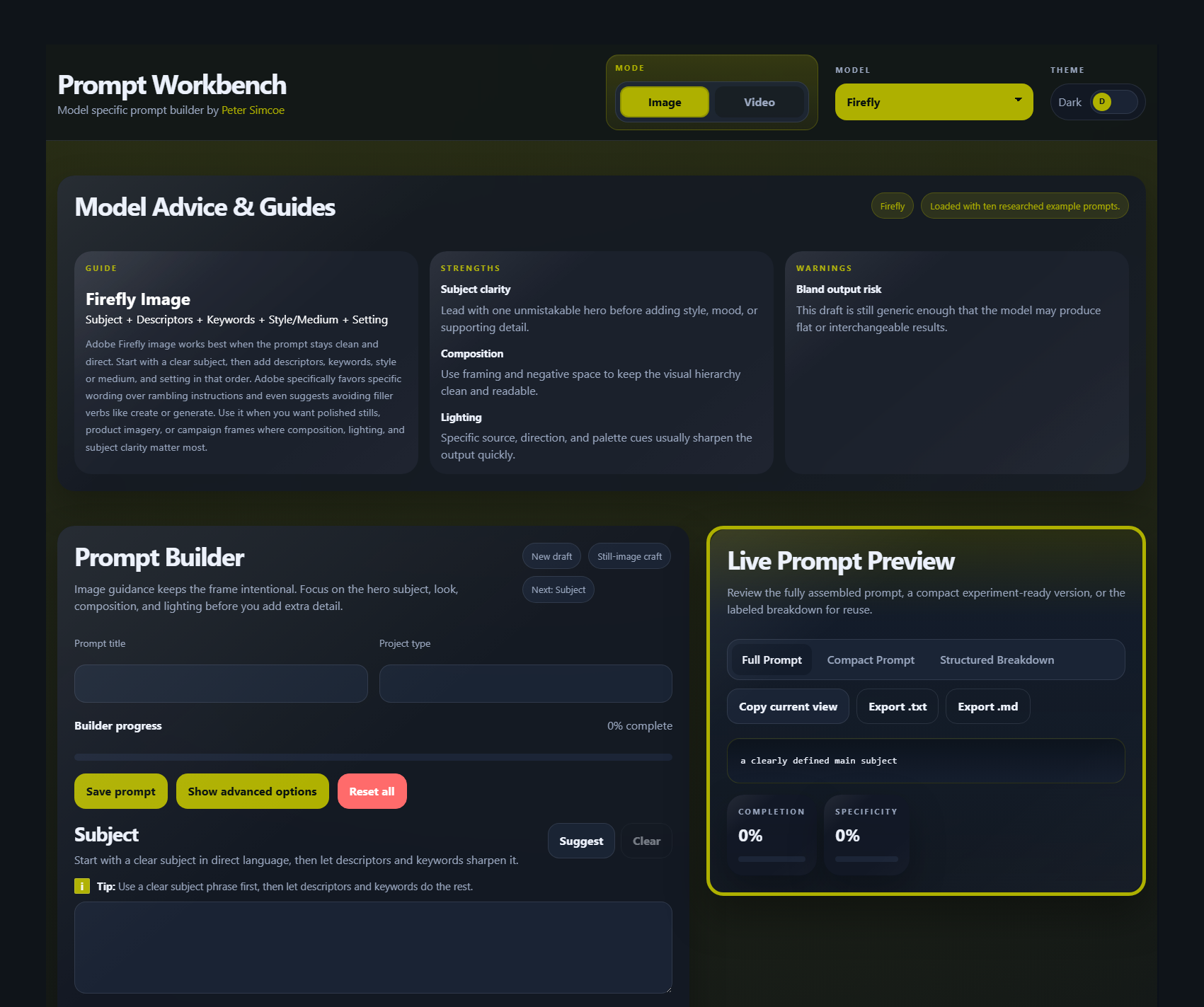
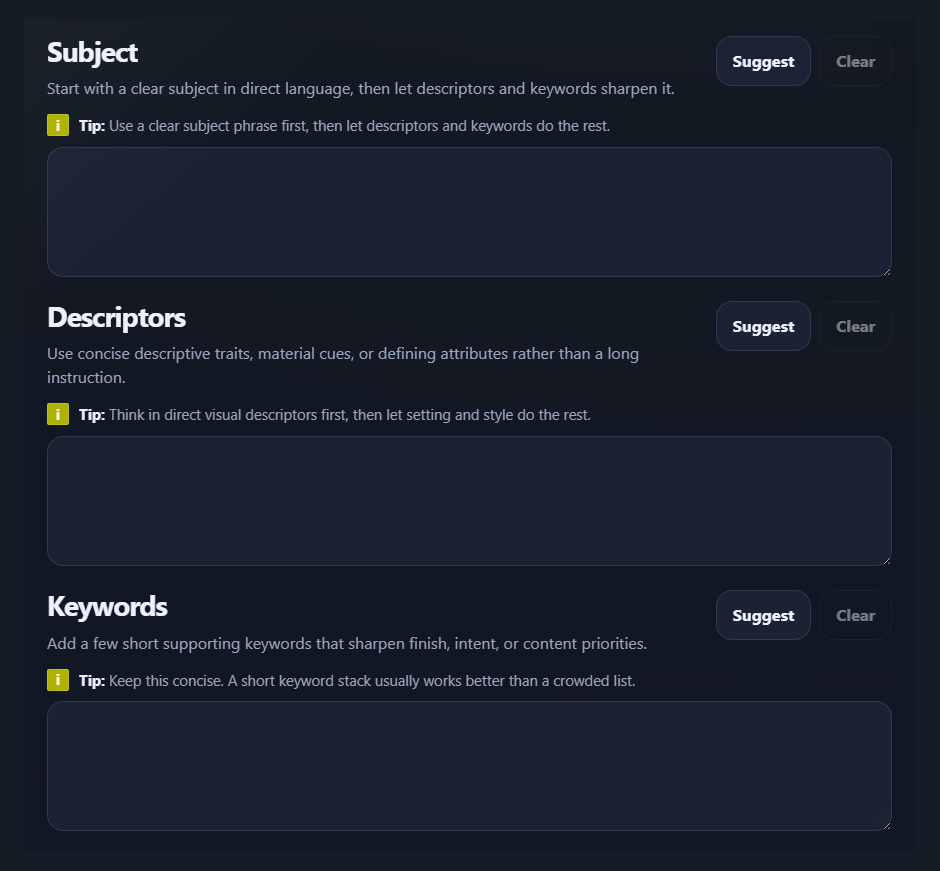
To make this process even easier to use in practice I created a prompt construction tool called Prompt Workbench at prompt.simcoe.co.uk. It is designed to guide users through the process rather than presenting a static article. The written guide explains the logic behind prompting, while the online tool helps apply it in a more practical and structured way.
Generative AI Prompt Guide
Generative AI Images
Adobe Firefly
For Adobe Firefly, write prompts in simple, direct language built around a clear subject plus descriptors and keywords. Adobe advises using at least three words, avoiding filler verbs like “generate” or “create,” and being specific rather than vague. The system responds well to clean wording rather than long rambling instructions.
Subject + Descriptors + Keywords + Style / Medium + Setting
Nano Banana 2
Build prompts around style, subject, setting, action, and composition, then add production details such as aspect ratio, output format, or exact text in quotation marks when needed. Nano Banana is especially useful when you want accurate text rendering, grounded real-world knowledge, diagrams and localised visuals.
Style + Subject + Setting + Action + Composition + Text / Output Constraints
Midjourney
Short and simple prompts usually work best. Brief prompts let Midjourney’s style engine do more of the creative filling-in. Be precise with words and define subject, medium, environment, lighting, color, and mood. Focus on what you do want, not what you do not want, then use parameters at the end of the prompt for things like aspect ratio and other controls.
Subject + Medium / Style + Environment + Lighting / Colour + Mood + Parameters
Flux
The most important elements should come first: main subject, key action, critical style, then essential context. Medium-length prompts are often the sweet spot, with longer prompts reserved for complex scenes. FLUX does not use negative prompts in the usual way, so describe the desired result positively. For photorealism, specify cameras, lenses, film stocks, and lighting.
Subject + Action + Style + Context
GPT Image
For GPT Image, the best method is structured prompting. OpenAI’s current guidance is to keep a consistent order and to include the intended use, such as ad, UI mockup, infographic, poster, or product image. For more complex jobs, split the prompt into labeled sections rather than one dense paragraph. Be explicit about framing, angle, lighting, layout, and text placement.
Background / Scene + Subject + Key Details + Constraints + Text / Layout
Generative AI Video
Adobe Firefly
Describe the camera perspective and movement first, then the character, what they are doing, where they are, and finally the mood or visual treatment. Camera angles matter Adobe warns that too many subjects can confuse the model, so it is usually better to keep the scene focused.
Shot Type Description + Character + Action + Location + Aesthetic
Google Veo
Veo 3 can generate dialogue and respond to explicit sound design cues, so prompts can describe what is heard. The best prompts usually establish the visual style and tone early, then build the world with sensory detail and clear character actions. Treat the prompt like a miniature director’s brief, not just a visual idea.
Style / Tone + Subject / Character + Setting + Action + Camera Direction + Audio / Dialogue
Kling
Kling simplifies this even further into Subject + Movement, which means the still image already carries most of the visual information and the prompt should focus mainly on motion. Good Kling prompts are concrete, cinematic, and observable: describe what is moving, how the camera behaves, what the environment is, and what kind of light defines the shot.
Subject + Movement + Scene + Camera Language + Lighting
Runway
Start simple, add detail strategically, and use positive, concrete language. Runway separates prompts into visual components and motion components. For text-to-video, describe what we see and how it behaves. For image-to-video, the prompt should focus mostly on motion, camera work, timing, direction, and temporal progression.
Camera / Shot + Subject + Motion / Action + Environment + Temporal Progression
Dream Machine
Prompt as if you are describing the shot naturally to another person. It also encourages iterative refinement using built-in tools such as Modify, Styles, Character Reference, Visual Reference, Camera Motion, Extend, Keyframes, and Loop. A strong workflow is to begin with a broad idea, then make specific changes step by step instead of overloading one prompt.
Subject + Action + Setting + Style / Mood + Camera Motion + Refinement
Image Prompt Summary
Firefly Image: Subject + Descriptors + Keywords
Nano Banana 2: Style + Subject + Setting + Composition
Midjourney: Subject + Style + Environment + Parameters
FLUX: Subject + Action + Style + Context
GPT Image: Scene + Subject + Details + Constraints
Firefly Video: Shot Type + Character + Action + Location + Aesthetic
Veo: Style + Subject + Setting + Action + Camera + Audio
Kling: Subject + Movement + Scene + Camera + Lighting
Runway: Camera + Subject + Motion + Environment + Progression
Dream Machine: Subject + Action + Setting + Mood + Camera + Refinement


